Manage FRP Client TCP and HTTP Tunnels from Your Desktop
Version and screenshots
This guide describes the current source version. Published installers may have fewer features; check your build against the release notes. Screenshots use demonstration data and a Pro example state.
If you already operate an FRP server, Loris Tunnel can manage its client connections without keeping a separate terminal open for every proxy. The current integration supports TCP mappings and HTTP domain routes using the official frpc executable.
Before you start
Prepare a reachable frps server, its control address and port, and any required authentication token. You also need a local application. Loris does not install, deploy or administer the server.
FRP separates the client (frpc) from the server (frps), as explained in the official FRP concepts. The app manages the client side of that arrangement.
Add the client and server
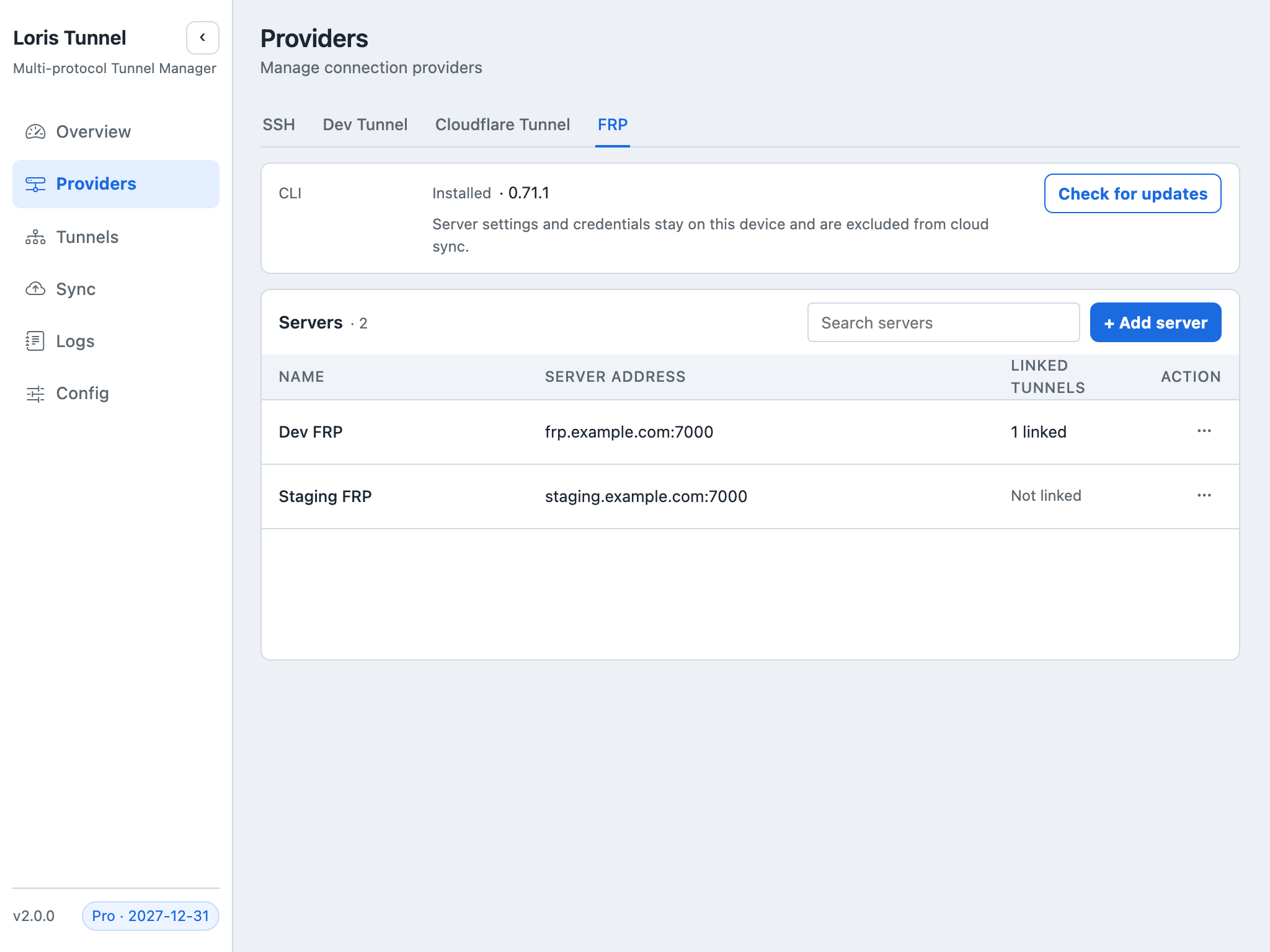
- Open Providers → FRP.
- Install the official client or select a verified local
frpcexecutable. - Add your existing server's address, control port, user namespace and token as required by that server.
- Save the server and select it when creating an FRP tunnel in Tunnels.
The token authenticates the FRP client to its server. It does not authenticate visitors to the service you publish.
Configure a TCP port mapping
Choose TCP and enter a local address such as tcp://127.0.0.1:3000. Set a unique proxy name and an available remote port, for example 13000. After starting, clients use the server's address and exposed port, not its control port.
The remote port must be allowed by server policy and reachable through the server's firewall. Do not assign a port already in use by another proxy.
Configure an HTTP domain route
Choose HTTP, enter an origin such as http://127.0.0.1:3000, and assign your hostname. Configure DNS to point to the FRP server and make sure its HTTP entry port is enabled and reachable. If that port is not 80, include it in the test URL.
See FRP's HTTP custom-domain example for the server-side routing model. Loris's current integration does not support local HTTPS origins or every proxy type available in FRP itself.
Verify registration and access
Start the tunnel and inspect client logs. Loris displays running status only after the client management API confirms proxy registration. Origin reachability is shown separately.
Then test a real request from outside the host network: connect to the server's exposed TCP port, or open the configured HTTP hostname and entry port. A registered proxy may still be blocked by DNS, server firewall rules or an unavailable local service.
Common questions
Why does the proxy name conflict?
Proxy names must be unique within the server's user namespace. Use a distinct name and avoid assigning the same public endpoint twice.
Why does FRP need setup after a cloud restore?
Server settings and tokens live in frp-local.json beside the application configuration. They are excluded from ordinary exports and cloud backup. Add the server locally on the other device and rebind the restored tunnel.
Does the server token protect my web page?
No. Add visitor authentication to your application or your own publishing infrastructure. Server authentication and visitor access solve different problems.